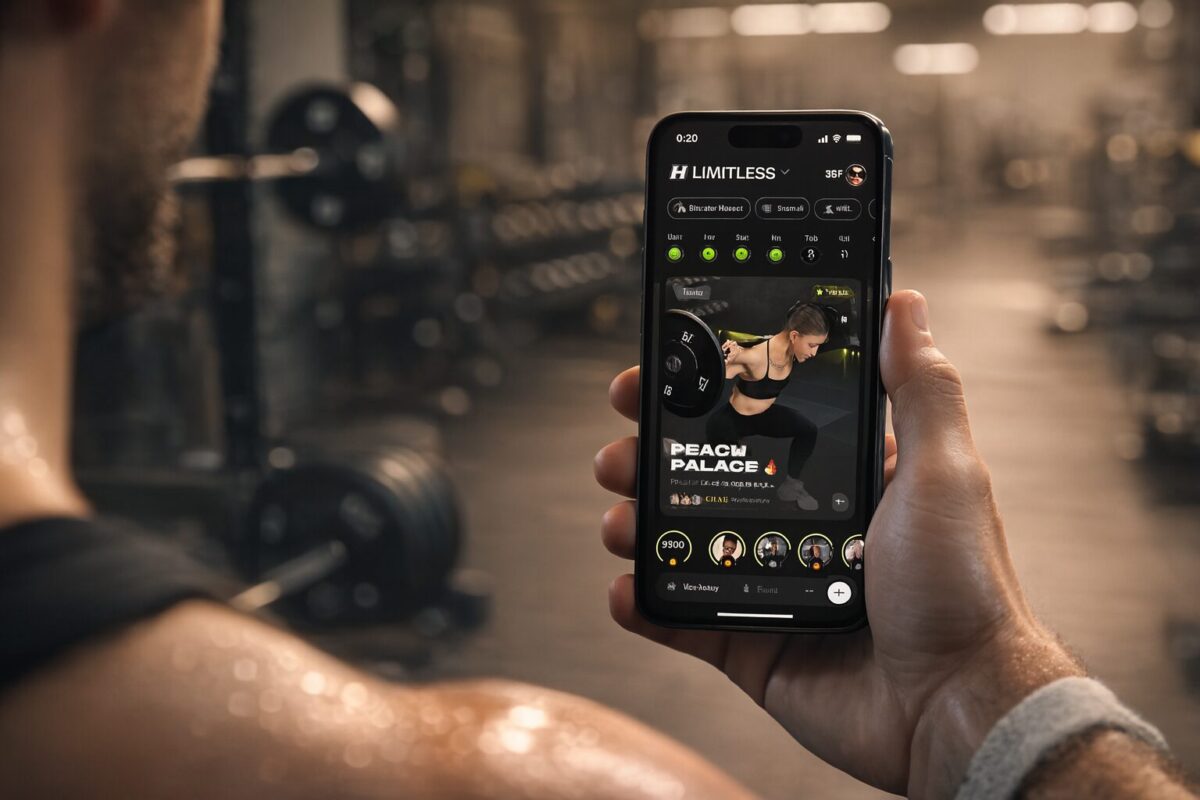
How Ladder Really Works (Before You Subscribe)
I started looking at Ladder after spending a decent amount of time with Muscle Booster.
Muscle Booster did its job: it got me moving, the short workouts were easy to start, and it was a good kick in the right direction. But after a while I wanted more:
- Better structure over weeks, not just “today’s random session”
- More serious strength programming
- Cleaner progress tracking
- And something that played nicer with my Apple setup (phone + watch)
That’s when Ladder kept popping up with this “coach + team” model instead of AI-style workout generation. So I treated it as the “next step” in my training: same basic goal (get stronger, stay consistent), but with higher expectations.
This is what it was actually like using Ladder for real, before you throw money at a subscription.
Want to try Ladder for your strength training?
If you’re thinking about joining a Ladder team after reading this review, start with the official links below. Commit to a full series, hit the key strength days each week, and see how the coach-led programming feels for you.
- Coach-led strength programs in 6-week series
- Starred “main” workouts for 3x/week training
- Built for iPhone, with a web option for other devices
This is not medical or training advice. Always work within your limits and talk to a professional if you have injuries or health conditions. Some links on this page may be affiliate links, which means we may earn a commission if you install or subscribe through them.
Why I Wanted Something Beyond Muscle Booster
Muscle Booster worked for what it is: a simple, push-button way to get off the couch and start sweating.
The problem I ran into after a few months:
- Some workouts felt thrown together
- I wasn’t always sure how I was progressing beyond “I’m tired”
- Tracking was basic, and digging into history wasn’t great
- Integration with my Apple Watch and health data felt like an afterthought
Once you’re past pure beginner status, you start to care less about “just moving” and more about:
- How the weeks fit together
- Whether you’re lifting more, moving better, and actually following a plan
- Whether your app feels like a real training platform or just a flashy timer
That’s the gap I was hoping Ladder would fill.
First Impressions: Teams, Coaches, and Those Starred Days
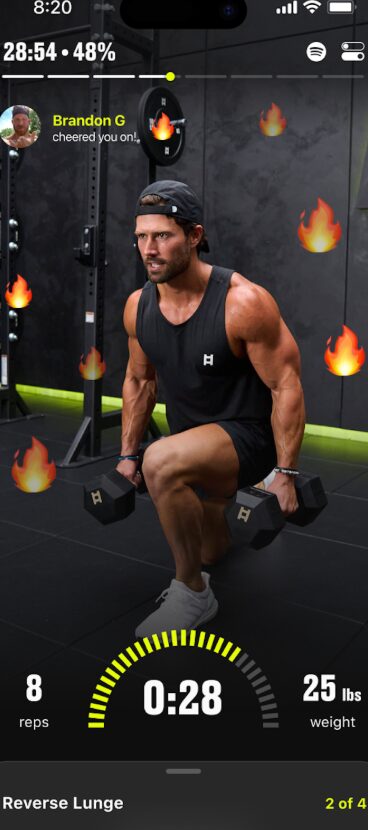
Ladder doesn’t start with “what muscle do you want to hit today?” It starts with which coach and team you want to train with.
When you first set it up, you pick a team led by a specific coach. Each team has its own vibe:
- Some are more athletic / performance focused
- Some are more glute / physique focused
- Some are more dumbbell / minimal equipment
- Some lean into heavier barbell lifting and classic strength work
So instead of “choose random workout”, you’re basically saying:
“I’m on this coach’s program now. I’m going to follow what they’ve laid out.”
That mindset shift alone changed how I approached my training. It felt less like a generic app and more like a structured program I’d joined.
One smart detail: Ladder shows workouts for every day, but highlights a few “main” days with a star.
- The starred days are the core strength sessions
- The others are optional add-ons (conditioning, mobility, etc.)
That means:
- If you only have time or energy for 3 sessions a week, you just hit the starred days and you’re still following the main program.
- If you can train more, you stack in the bonus days.
I tested it exactly like that: three starred strength days as the base, then extras when I could. Three days per week, consistently, was enough to see solid progress.
What I Liked About Ladder (Coming From Muscle Booster)
1. It Finally Felt Like a Real Program
The biggest difference vs Muscle Booster: Ladder actually feels like you’re on a planned training block, not just doing stand-alone workouts.
Ladder runs in 6-week “series”. Each series has:
- A specific focus
- A progression built in
- A clear start and end
Then they do about 2 weeks of “open season” where you can experiment with other teams or styles before the next series kicks off.
Across those 6 weeks, you see:
- Key lifts and patterns repeating often enough to get better at them
- Load, reps, or difficulty nudging up over time
- A sense that each week is connected to the last one
Instead of “Just survive today’s session,” it felt more like:
“This is Week 3 of this block. I know what I’m building toward here.”
For me, that alone was a massive upgrade from Muscle Booster’s more scattered feel.
2. The Coach + Team Element Actually Matters
With Muscle Booster, it always felt like me vs the app UI. With Ladder, the coach and the team mattered a lot more than I expected.
Once you settle on a coach you like:
- You hear their cues and coaching style during sessions
- You start to understand how they structure weeks and phases
- You get a bit of community through team activity, cheers, etc.
That “I’m on this coach’s program” feeling does a few things:
- It makes it easier to show up, because it’s not just “another generic workout.”
- It makes the training feel more intentional.
- You get form tips and mental cues that actually help when you’re under a bar or pushing dumbbells.
I tried a couple of teams, and once I landed on one that fit my style (balance of strength-focused, not too chatty, but not dead silent), it honestly felt closer to remote coaching than a pure app.
3. Beginner-Friendly but Still Serious
When I came in, I wasn’t a complete beginner, but I wasn’t advanced either. Somewhere in the middle.
What I liked is that Ladder doesn’t assume you’re already strong or mobile, but it also doesn’t baby you forever:
- If you’re closer to beginner, you can pick teams that lean more into fundamentals, lighter equipment, and simpler moves.
- If you’ve been lifting a bit already, there are teams that feel more like classic strength training—squats, deadlifts, presses, proper accessory work.
The structure is supportive without being fluffy:
- You’re not stuck in endless “10-minute novelty” workouts.
- You’re not thrown into insane advanced programs either.
For me, it hit that sweet spot: challenging, but not ridiculous. Enough structure to grow, not so extreme that I dreaded opening the app.
4. Simple Flow, Clear Priorities
One thing I appreciated very quickly: Ladder doesn’t bury you in menus or features.
A typical flow for me:
- Open app
- Check my team’s week view
- See which days are starred
- Tap into today’s main session
- Hit start and follow the instructions
There’s enough UI to show you:
- What’s today
- How the week is laid out
- Where you are in the series
…but not so much that you’re lost in tabs and filters.
I’m already juggling life, work, and everything else. I don’t need my training app to be another decision tree. Ladder did a good job of being structured without being overwhelming.
5. The iOS Experience Is Much Nicer
The other reason I wanted to move away from Muscle Booster was the Apple ecosystem side: I live on iPhone + Apple Watch.
Ladder feels like it was actually designed for iOS:
- Clean, modern UI
- Sessions that feel natural with AirPods in
- Apple Watch integration so you can keep an eye on things from your wrist
Is the Watch side perfect? Not really. There are little quirks here and there. But overall, it felt far more “native” than most generic fitness apps I’ve tried.
If your daily setup is iPhone + Apple Watch, Ladder fits into that world pretty smoothly.
What I Don’t Like About Ladder
Ladder isn’t a fairy-tale app. There are things that bug me that you should know about before you subscribe.
1. The Price Stings If You Don’t Use It
Let’s not dance around it: Ladder is not cheap.
It’s not priced like a casual $5 one-time app. It’s more in the “premium subscription” / “remote group coaching” territory.
The way I look at it now:
- If I’m using it 3–5 times a week and treating it as my main strength training system, the price makes sense.
- If I fall back to using it once every now and then, it feels expensive very quickly.
For it to make sense in my head, I had to treat it less like “an app” and more like:
“This is my training platform and coaching-lite combined.”
If you’re not prepared to commit for at least a full series and show up regularly, the value falls off fast.
2. iOS-Only in Practice
This might not bother you if you’re deep in Apple world, but it’s worth saying:
- Ladder is built around iOS.
- There’s a web option, but the real, polished experience is on iPhone.
If I suddenly moved to Android only, Ladder would instantly become way less attractive. I’d probably switch to something else rather than trying to force the web version to replace a proper app.
If you’re mixed-household (you on iOS, partner on Android) and want to do everything on the same app, this is also something to think about.
3. Volume, Variety, and Style Depend Heavily on the Coach
Ladder as a platform is one thing, but your actual day-to-day experience is completely shaped by the coach and team you pick.
What I noticed cycling through a few:
- Some coaches build very tight, progression-focused series where key lifts repeat and you clearly see overload.
- Others mix exercises more and lean into variety, which is fun but can feel less focused.
- Some give you plenty of volume and really push you.
- Others are more moderate.
None of this is “good or bad” on its own—it just needs to match your personality and your goals.
But it does mean:
- You might land on a team that feels too easy or too repetitive for you personally.
- You may need to experiment and switch once or twice before it clicks.
That’s extra mental load, and if you’re unlucky and start on a team that doesn’t fit, your first impression of Ladder might be “overpriced and underwhelming” even though another coach would’ve been perfect for you.
4. History and Navigation Are Not Perfect
One thing that bothered me more over time: looking back isn’t as flexible as I’d like.
Ladder is very focused on:
- This week
- This series
- This block of training
Which is great for staying present, but not always great if you:
- Fall behind a few days
- Want to repeat a past week
- Or just like flipping back and reviewing older sessions in detail
You can absolutely see what you’ve done, but it doesn’t feel like a full-blown training log that makes it easy to time-travel through previous weeks.
If you love clean history, charts, and digging into what you did six weeks ago, you may end up tracking key numbers somewhere else (spreadsheet, notes, another app).
Ladder vs Muscle Booster vs DIY / AI
Once I’d lived with both, here’s how it shook out in my head.
Ladder vs Muscle Booster
Muscle Booster for me was:
- A “get started” tool
- Great at removing the first layer of excuses
- Not great at clearly structured progress long term
- Basic and sometimes messy on the tech side
Ladder feels more like:
- A “level up” tool
- Built for people who are ready for real strength programming
- Centered around human coaches and structured series
- Closer to group coaching than a random app
If you’re literally doing nothing right now, you don’t have to start with Ladder. You could do something simpler first.
But once you care about how you’re training, not just whether you’re sweating, Ladder makes a lot more sense than a purely AI-driven app.
Ladder vs DIY / ChatGPT / Gemini
You can absolutely roll your own:
- Use ChatGPT / Gemini to help sketch a program
- Track everything in a spreadsheet, Notion, or a cheaper logging app
- Adjust as you learn more about your body and lifts
That route gives you:
- Maximum control
- Potentially better data
- Full flexibility
It also gives you:
- More decisions
- More places to get lost or stall
- A decent chance of overcomplicating things
Ladder trades that control for:
- A coach deciding the structure
- A series-based flow where you just follow along
- Slightly fewer knobs to turn, in exchange for a smoother “open → train” experience
If you enjoy tinkering, DIY can win.
If you want to feel like you’re on a smart, guided program without needing to be the coach yourself, Ladder wins.
Ahhh, that image changes the game a bit. This isn’t just “light guidance” – Ladder clearly has a proper Nutrition module now.
From that screenshot, here’s what’s going on and how you can talk about it in the article.
Ladder’s Nutrition: training and food in one place
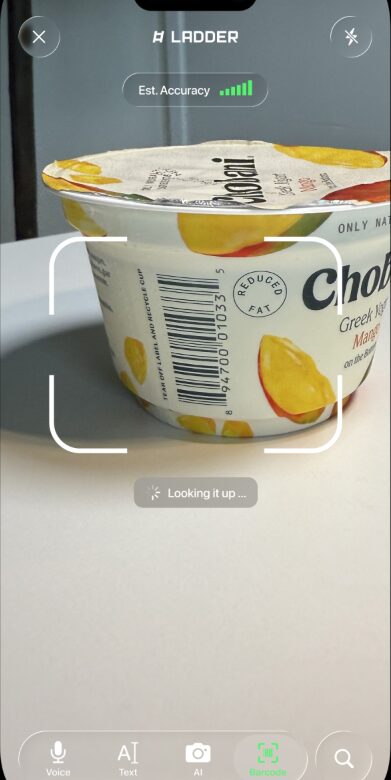
One thing that surprised me was how deep the new Nutrition side of Ladder goes. Inside the app there’s a separate Nutrition tab where you can:
- Scan packaged food with your camera and log it straight into the app
- See calories and macros for each meal and for the whole day
- Track your weight over time with a dedicated weight-tracker view
- Scroll through a meal history so you can see what you actually ate, not just what you planned
It’s not pretending to be a hardcore bodybuilder spreadsheet, but for normal people it’s more than enough: I can log my meals, see how much protein I’m actually hitting, watch the weekly weight trend, and keep it all in the same place as my training plan. That’s a big step up from apps where workouts live in one app and your food diary is buried somewhere else.
So… Is Ladder Worth It Before You Subscribe?
For me, the answer is yes, but only if you treat it seriously.
If you:
- Subscribe
- Do two random workouts
- Forget about it for a month
then no, it’s not worth it. That’s just donating money.
If you:
- Commit to at least one full 6-week series
- Pick a coach whose style fits your goals and equipment
- Hit the starred strength days 3× a week as a minimum
- Use the app as your main strength platform
then it starts to feel much closer to:
“I’m paying for structured coaching and a solid plan, delivered through an app.”
Compared to Muscle Booster, Ladder gave me:
- Better structure
- Clearer progression
- A human face (coach) on the other side of the plan
- An iOS experience that actually felt built for my devices
The flip side is:
- Higher price
- iOS lock-in
- Some trial-and-error finding the right coach
- History and tracking that are good, but not perfect if you’re a numbers geek
My honest recommendation:
- Use the trial or a guest pass, but don’t treat it like a toy.
- Go in with the mindset: “I’m testing this as my main training tool for a series.”
- If, by the end of that series, you’re clearly stronger, more confident in the gym, and actually excited to open the app, the subscription is pretty easy to justify.
- If not, cancel and move on. At least you’ll come out of it with a better sense of what you want from your next app or program.
That’s how Ladder really works for me: not perfect, not cheap, but very solid when you actually commit and use it the way it’s built to be used.
Want to try Ladder for your strength training?
If you’re thinking about joining a Ladder team after reading this review, start with the official links below. Commit to a full series, hit the key strength days each week, and see how the coach-led programming feels for you.
- Coach-led strength programs in 6-week series
- Starred “main” workouts for 3x/week training
- Built for iPhone, with a web option for other devices
This is not medical or training advice. Always work within your limits and talk to a professional if you have injuries or health conditions. Some links on this page may be affiliate links, which means we may earn a commission if you install or subscribe through them.