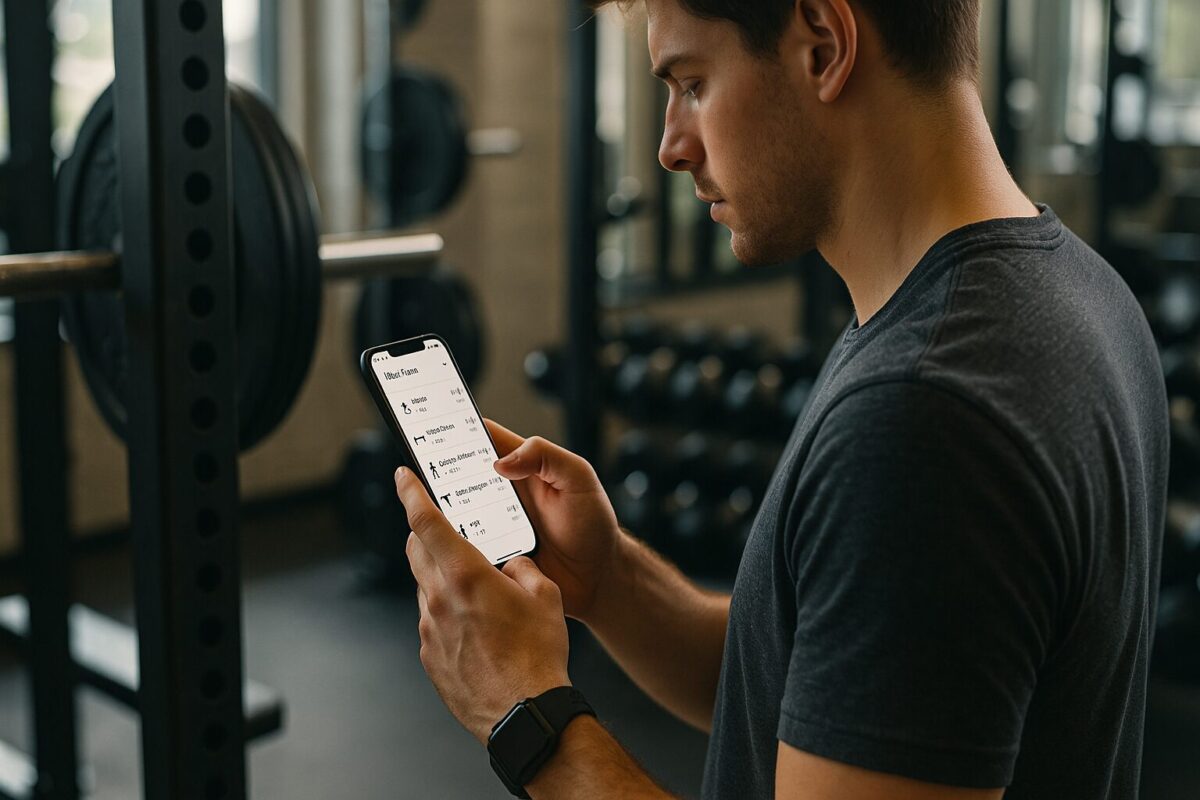
How to Use the Fitbod App for Smart Strength Training (Full Walkthrough & Review)
Strength training is easy to talk about and hard to program. That’s where Fitbod comes in.
Fitbod is a strength-focused workout app that builds custom gym or home workouts based on your goals, the equipment you have, and how much you’ve been training recently. Instead of staring at a blank notebook trying to design a plan, you open the app and it gives you a session.
This guide walks through how to actually use Fitbod in a way that makes sense long term:
- how to set it up for your training style
- how to let it generate workouts (and fix them when they’re weird)
- how to use the muscle recovery view to plan your week
- how to read your stats and decide if the subscription is even worth it
Nothing here is medical advice, and the app’s details can evolve over time, but the core behavior—custom workouts based on your profile and past training—has been stable for years.
What Fitbod Does and Who It’s For
Before jumping into steps, it helps to understand what Fitbod is actually trying to do.
At a high level, Fitbod:
- asks about your goals, experience, and available equipment
- records the sets and reps you log in each workout
- uses that training history to suggest new strength workouts, adjusting things like volume and muscle focus over time
The app is designed around strength and resistance training. You can run bodyweight sessions, dumbbell workouts, or full barbell programs, but the core is “pick things up and put them down,” not yoga or dance cardio.
When Fitbod makes sense
Fitbod is usually a good fit if you:
- want to get stronger or build muscle but don’t want to write your own program
- have access to at least some basic equipment (gym or half-decent home setup)
- are willing to log your sets and reps, not just follow along blindly
- can realistically train 2–4 times per week
When Fitbod probably isn’t for you
It’s less ideal if you:
- already follow a strict barbell program or coaching plan
- don’t enjoy logging anything during workouts
- only train once every couple of weeks
- want pure follow-along video classes with an instructor on screen
Here’s a quick reality check:
| Fitbod is a good fit if you… | It’s probably not for you if you… |
|---|---|
| Want structured strength workouts without writing them yourself | Already have a coach or a fixed program and don’t want it changed |
| Have a gym or home equipment and can train multiple times per week | Only train occasionally and want ultra-light, casual sessions |
| Like seeing progress in sets, reps and volume over time | Hate tracking numbers or opening an app during workouts |
If you’re somewhere in the “this might be for me” column, the rest of this guide will show you how to use the app in a way that actually plays to its strengths.
Ready to Try the Fitbod App?
Download Fitbod and let it build strength workouts for you based on your goals, equipment and training history.
Visit the Fitbod websiteThese links go to the official Fitbod apps and website. Check current pricing and terms inside the app or on fitbod.me.
How to Set Up Fitbod for Your Training Style
Choose realistic goals and training days
Fitbod asks you about your training goal and roughly how often you want to work out.
Typical goal types include things like:
- building muscle / strength
- overall fitness
- body composition / fat loss style goals
The exact wording can change over time, but the idea is always the same: you’re telling the app what kind of strength training outcome you care about most.
The key here is to keep it boring and honest:
- If your real goal is “get stronger on basic lifts and look more athletic,” pick the strength or muscle-oriented option.
- If you mostly want to move more and feel less stiff, a general fitness option is fine.
Then, be equally honest about how many days per week you can train:
- If you know you’ll reliably manage 3 days, set 3.
- If your life is chaotic and 2 is realistic, pick 2.
Fitbod uses this information to shape how much total work it plans for you across the week. Overstating your schedule is an easy way to feel overwhelmed and then quit.
Configure your equipment and environment
Fitbod also needs to know where and with what you’ll be training.
In practice, that means:
- telling it whether you’ll be in a gym, at home, or both
- ticking which equipment you actually have access to
Think in categories rather than exact machines:
- barbells and plates
- dumbbells
- adjustable bench
- pull-up bar
- cables / pulley machines
- resistance bands
- kettlebells
- bodyweight only
The app uses this equipment list to choose exercises. If you only tick dumbbells and bodyweight, Fitbod will build workouts around those. If you tick every option in a commercial gym, you’ll see more variety.
You can update this later (e.g., when you add a bench at home), so you don’t have to get it perfect on day one. The important part is to avoid lying about equipment you don’t actually have, or you’ll get workouts you can’t realistically do.
How to Generate and Customize Your First Fitbod Workout
Once your profile, goals, days per week, and equipment are set, you’re ready to see what Fitbod does best: automatic strength workouts.
Let Fitbod build a workout for you
When you start a session, Fitbod generates a workout based on:
- your goal and training frequency
- your equipment
- your recent training history (once you’ve logged a few workouts)
On day one, it doesn’t know much about you yet, so the plan is based more on your input and general strength-training principles. You’ll usually see:
- a mix of compound movements (like squats, presses, rows)
- accessory exercises to hit smaller muscle groups
- a set/reps structure appropriate for your experience level
The result is a full session you could walk into the gym and follow more or less as-is.
Adjust the workout so it actually fits you
The key difference between having a good time with Fitbod and getting frustrated is whether you edit the plan to fit your reality.
You can (conceptually):
- swap an exercise you dislike or can’t do (say, back squats) for another that works the same general muscles with the equipment you have (goblet squats, leg press, etc.)
- remove one or two accessory exercises if the workout looks too long for the time you have
- add a favorite movement (for example, if you always want some form of deadlift once per week)
Think of the first auto-generated workout as a draft:
- Good part: you’re not staring at an empty program; Fitbod gives you a structured starting point.
- Imperfect part: it doesn’t know your exact preferences yet, so a little “cleanup” is normal.
Once you’ve edited the first couple of sessions, future workouts will tend to look more like what you actually enjoy and can stick with.
How to Use Fitbod During a Workout (Logging Sets & Reps)
The whole point of Fitbod’s “smart” suggestions is that it learns from what you do, not just what you planned. That means you have to log your workouts in a way the app can understand.
Log sets and reps accurately
During a workout, the basic flow looks like this:
- You tap into the first exercise in the list.
- You see the target sets and reps the app suggests (for example, 3 sets of 8).
- You perform a set, then log the actual weight and reps you did.
- You repeat for the remaining sets, marking them as complete.
- You move on to the next exercise and repeat the process.
Most people keep their phone nearby, update each set as they go, and then glance at the next movement after resting.
The important detail: you want the app to record what really happened, not just what it originally suggested. That record is what Fitbod uses for future adjustments.
Why honest logging matters
Fitbod’s logic is roughly:
- you told it your goal and experience
- you did actual sets and reps at certain weights
- over time, it can see trends:
- how much volume you can handle
- whether certain lifts are progressing
- which muscles have been hit hard recently
If you never adjust the numbers and simply tap everything as “done,” the app can’t really tell whether a session was easy, hard, or even completed properly. From its perspective, every workout is identical to what it planned on paper.
Honest logging doesn’t mean being perfect—it just means:
- updating the weights you actually used
- adjusting reps if you did more or fewer than planned
The better the record, the better the recommendations later.
Ending the workout and reviewing the summary
When you finish all the exercises for the day, you end the workout and see a summary. The exact presentation can evolve with app updates, but typically you’ll get:
- which muscle groups were trained
- how much total work you did (sets/reps, sometimes volume)
- an overview that feeds into your recovery view for upcoming sessions
Even if you only glance at it for a few seconds, the summary gives you a sense of what kind of day you just had—heavy on legs, upper-body push, pulling muscles, etc.
How to Use the Muscle Recovery View to Plan Your Week
One of Fitbod’s more distinctive features is how it tracks muscle recovery and uses that to guide future workouts.
What the muscle recovery view shows
After you’ve logged a few workouts, Fitbod can estimate how “fatigued” different muscle groups are based on:
- which exercises you did
- how much work you performed for each area
- how recently those workouts happened
The app presents this as a visual overview of muscle recovery, where:
- some muscles show as more “used” or “fatigued”
- others show as more “fresh” or “recovered”
The details of the graphic can vary (body diagrams, lists, colors), but the idea is always the same: it’s a quick way to see what you’ve been hammering lately and what might be ready for more work.
Using it to choose your next workout
Fitbod uses this internal model to suggest your next session:
- If your legs are still heavily taxed from a squat day, the app will generally bias the next workout toward upper body or lighter movements.
- If your upper body pushing muscles are tired (after bench and overhead press), the next suggestion might favor pulling or lower body.
You can also use the recovery view yourself to make decisions:
- If you see that you’ve done a ton of hamstring and glute work, you might choose a session that emphasises upper body and core.
- If your upper back has been neglected, you might select or edit a workout to include rows and pull-ups.
This makes Fitbod especially useful for people who don’t want to think in “splits” all the time but still want balanced training.
Overriding the app when you need structure
Some people like knowing that every Saturday is leg day, no matter what. Fitbod will let you choose or edit workouts even if it thinks certain muscles are not fully recovered.
That means you can:
- follow the app’s suggestions most of the time
- still override it when you want a specific type of session on a specific day
For many users, this combination—algorithmic guidance plus manual control—is easier to live with than a rigid, fixed split or a completely freestyle approach.
How to Use Fitbod for Home Workouts vs Gym Workouts
Fitbod can work in a fully equipped gym or a minimal home setup, but how you configure and use it changes the experience.
Best practices for using Fitbod in the gym
In a commercial gym, you tend to have:
- barbells and plates
- dumbbells in multiple weight ranges
- benches
- cable stacks and machines
- racks and pull-up stations
With all that available, Fitbod can:
- build more varied workouts
- move between different movement patterns (presses, rows, squats, deadlifts, machines)
- adjust volume and intensity in more subtle ways
To get the most out of it in the gym:
- keep your equipment list accurate and broad
- use the auto-generated workouts as a starting point
- swap a few exercises to align with your preferences while leaving the overall structure intact
This is where the app is strongest: turning a big, overwhelming gym into a clear plan each time you walk in.
Best practices for using Fitbod at home
At home, equipment is usually more limited:
- maybe a pair of adjustable dumbbells
- a bench or sturdy surface
- resistance bands
- a pull-up bar, if you’re lucky
Fitbod can still build effective workouts in this context, but you need to:
- tell it exactly what you have, and uncheck everything you don’t
- expect more emphasis on dumbbell and bodyweight exercises
- be ready to tweak sessions if the app suggests more total sets than you can handle in your available time
If a home workout looks too long or too dense:
- remove one accessory movement
- slightly reduce sets on one or two exercises
- focus on a handful of big, compound moves (squats, presses, rows, hinges) plus one or two smaller exercises
Used like that, Fitbod can turn a small home setup into something that feels like a real program instead of a random collection of push-ups and curls.
How to Read Your Fitbod Stats and Check If It’s Working
Logging workouts is useful, but only if you periodically step back and check whether the app is actually helping you progress.
The metrics that matter most
Fitbod offers various stats and graphs, but for most people, three things matter:
- Workouts per week / month
- Are you training more consistently than before?
- If you weren’t lifting at all and now you’re doing 3 days per week, that alone is a big win.
- Progress on key lifts or movements
- Pick a small set of “anchor” lifts (for example: squat variation, press, row, hinge).
- Over a couple of months, are you doing more weight or more reps at the same difficulty level?
- Overall training volume trend
- Is your total work (sets + reps + weight) generally increasing in a steady way, or is it random and spiky?
- You don’t need to obsess over exact numbers; you just want to see a general upward trend with occasional deloads.
The 8–12 week check-in
Strength and muscle don’t transform in a week. A reasonable timeframe to judge Fitbod is 8–12 weeks of semi-consistent training.
At that point, ask yourself:
- Am I lifting heavier or doing more reps on key movements than when I started?
- Do my workouts feel more structured and less random than before?
- Am I showing up more often because the planning is handled?
If the answer to most of those is “yes”, then Fitbod is doing its job for you.
If not, something may need changing:
- You might need to pick a different goal.
- You might need to cut down the number of days you plan to train so the app stops over-loading your week.
- Or you may discover that you personally prefer a simple fixed program over algorithmic workouts.
The app gives you data. The check-in is your chance to decide if that data reflects real progress.
Fitbod Pricing, Trial and When It’s Worth Paying For
Fitbod uses a subscription model after an initial trial period. The exact length of the trial and the specific prices can change over time, so it’s safest to check:
- the current plans directly inside the app, or
- on Fitbod’s official website, where they list up-to-date pricing and offers
What doesn’t change is the underlying question:
Is paying for Fitbod on top of your gym or home equipment actually worth it?
When Fitbod is usually worth it
For most people, the subscription makes sense if:
- you’re training several times per week, not once a month
- you value structured workouts but don’t want to hire a coach
- you like tracking progress and stats in one place instead of juggling spreadsheets
If Fitbod is the difference between:
- you wandering aimlessly around the gym vs
- you following a coherent strength plan for months
then the subscription is effectively paying for your consistency and structure.
When Fitbod probably isn’t a good use of money
It’s probably not a great fit if:
- you rarely train, no matter what app you use
- you already have a program you love and don’t want it changed
- you strongly prefer video-led classes over numbers and sets
In those cases, a simple written plan or a different kind of app might be a better match.
Fitbod Pros, Cons and Alternatives (Quick Summary)
To round things out, here’s what tends to stand out after using Fitbod for a while.
Pros
- Structured strength workouts without DIY programming
You don’t need to build routines from scratch; Fitbod gives you a plan based on your inputs. - Adapts to your equipment and training history
It uses what you log to adjust future sessions, rather than repeating a static template forever. - Muscle recovery view helps with workload balance
The recovery overview makes it easier to avoid hammering the same muscle groups every single day. - Works for both gym and home setups
As long as you configure your equipment honestly, Fitbod can build usable workouts in different environments. - Encourages consistent logging and progression
Seeing your stats and history can nudge you to keep showing up and nudging numbers upward.
Cons
- Needs consistent logging to be useful
If you don’t adjust sets and reps to what you actually do, the “smart” part can’t really function. - Not ideal for strict program purists
If you want a precise, fixed cycle (like a specific strength template), Fitbod’s adaptive style may feel off. - Subscription cost on top of other fitness expenses
You’re paying for the app as well as your gym/home gear, so it has to earn its keep via better consistency and progress. - Limited direct technique coaching
Fitbod is not a technique coach; it doesn’t replace learning proper form from qualified resources.
Alternatives by type
If you’re on the fence, think in categories:
- More coaching-heavy services
Remote coaching or apps focused on pairing you with a live coach may be better if you want form feedback and accountability, not just workout plans. - Simple fixed programs
For some people, a spreadsheet-based strength program with clear progression rules is easier to follow and doesn’t require a subscription.
Fitbod sits in the middle: more structured than random workouts, more adaptive than a static PDF, less personalized than hiring a coach.
Ready to Try the Fitbod App?
Download Fitbod and let it build strength workouts for you based on your goals, equipment and training history.
Visit the Fitbod websiteThese links go to the official Fitbod apps and website. Check current pricing and terms inside the app or on fitbod.me.
FAQ: Common Questions About Using Fitbod
Fitbod can work for beginners, as long as they understand that the app handles workout structure, not full technique instruction. New lifters still need to learn proper form from reliable sources (coaches, in-person instruction, or high-quality educational material) and listen to their bodies when something feels off.
Strength training is useful for body composition, and Fitbod helps you lift consistently, which supports that goal. Actual fat loss still depends heavily on your nutrition and overall lifestyle. The app doesn’t replace a sensible eating plan; it complements it.
No. Fitbod can create programs based on whatever equipment you have, including dumbbells, bands, or just bodyweight. The key is to configure your equipment accurately and then make sure your home workouts still have a few solid compound movements.
“Better” depends on your personality. Fitbod is great if you like adaptive workouts and don’t want to think too much about planning. A fixed program is better if you enjoy repeating the same progression cycle and prefer to know exactly what’s coming each week.
Give it 8–12 weeks of reasonably consistent training. Over that time, you should see whether your lifting numbers, workout frequency, and overall structure are better than before. That’s the best window to decide if the subscription justifies its cost.